Client Forms · Pro + PyME
Ask once. Keep the answers.
Choose questions, publish a form, and link responses to client records. Available on Pro and PyME.
Start 7-day trialPlans: Pro and PyME

At a glance
What you can do
Question builder with required fields and reordering
Appearance settings and a public sharing link
Private response review and explicit client linking
Build
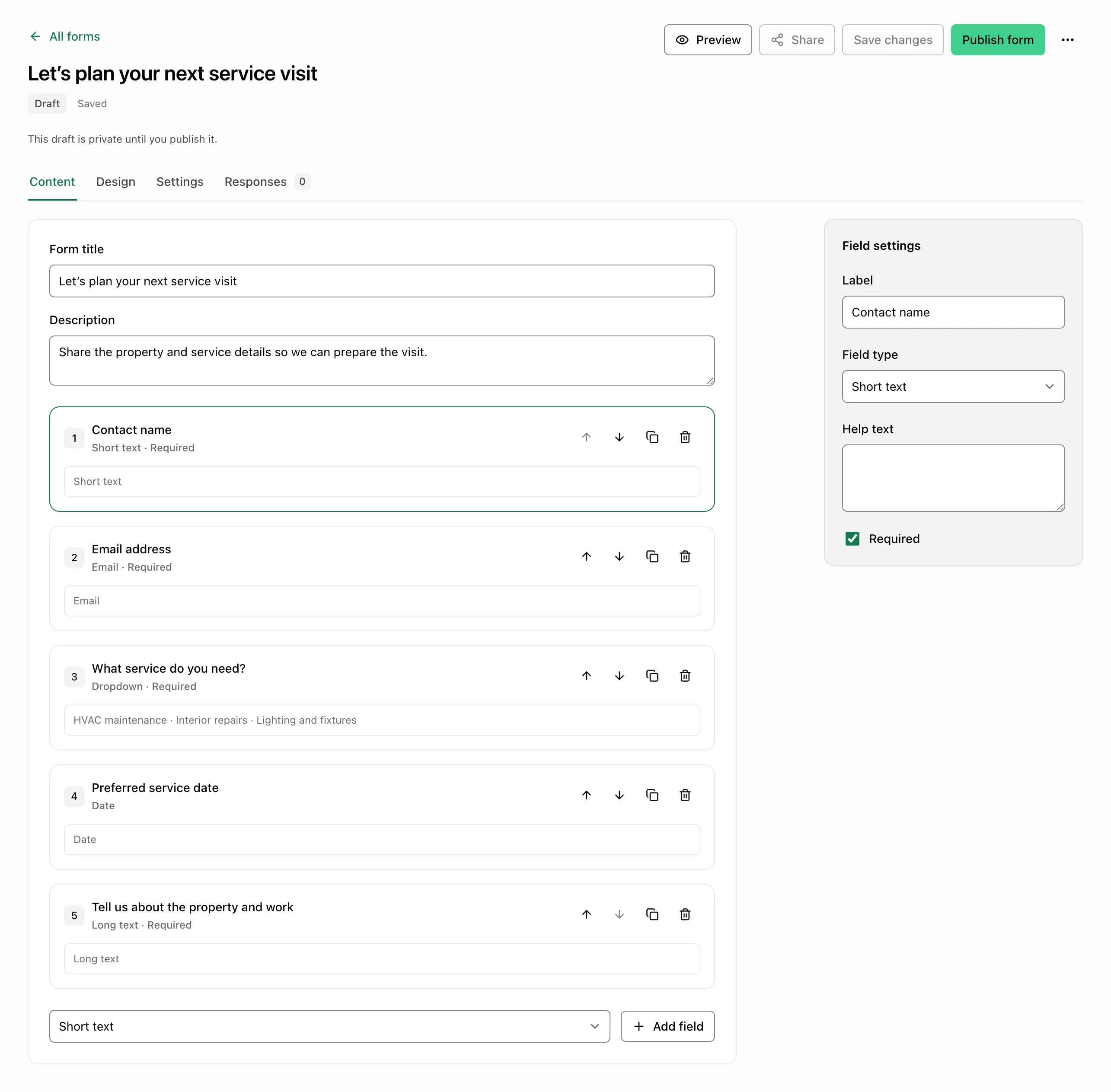
Choose your questions
Start with client intake, a contact request, feedback, or a blank form. Add text, contact, date, choice, and rating questions; set required answers and reorder the fields. Choose the appearance, form language, submit label, and confirmation message before publishing.
- Ready-to-edit templates
- Required questions
- Field order
- Appearance and confirmation
Share and review
Link responses to clients
Save a draft, then publish the version respondents will see through your sharing link. Draft edits stay separate until you publish again. Review submitted answers in the workspace and choose whether to link a response to an existing client or create a client from its contact details.
- Published public link
- Saved drafts
- Response details
- Client association you choose
Common questions
Which plans and team roles can manage Forms?
Forms is included with active Pro and PyME access on SaaS web for owners, admins, and managers. Individual does not include it; eligible Pro and PyME trials include their selected plan features.
Does a client need a FacturaOS account to respond?
No. Anyone with a valid published link can open the form and submit answers. The sharing link does not expose stored responses; authorized workspace users review them privately.
What happens when I edit or stop sharing a form?
Saved edits remain a draft until you publish them. Unpublishing or archiving the form stops public submissions. Submissions also require the workspace to retain eligible plan access.
What can I collect in this version?
Use text, email, phone, number, date, choice, checkbox, information, and rating fields. This web version uses sharing links; file uploads, external embedding, email delivery, and custom domains are not included. Ops mobile authoring is planned.
Client Forms · Pro + PyME