

Service catalog
Save the services you repeat.
Save descriptions, prices, duration, and tax treatment for invoices and eligible appointments.
Start 7-day trialCatalog: Saved services
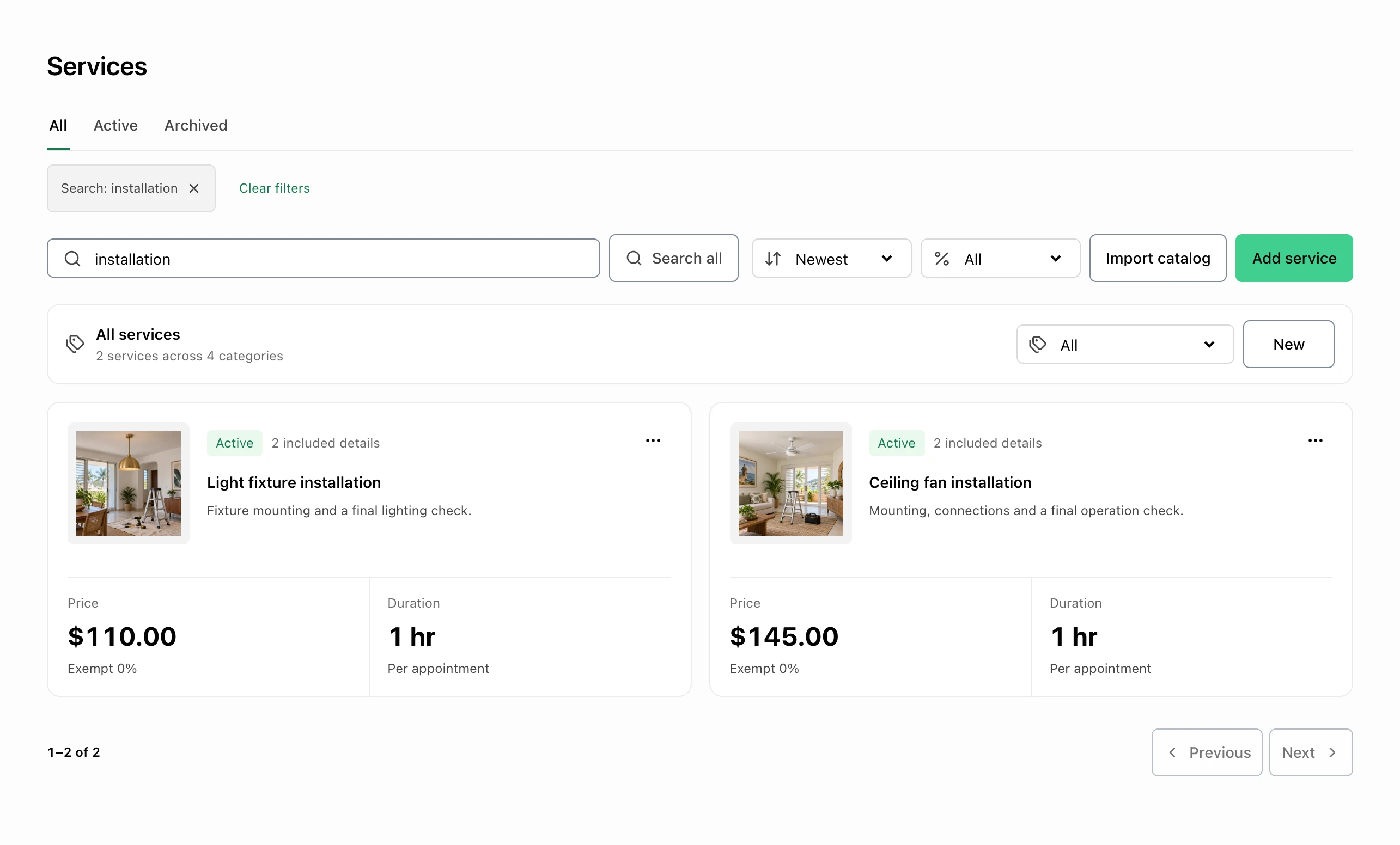
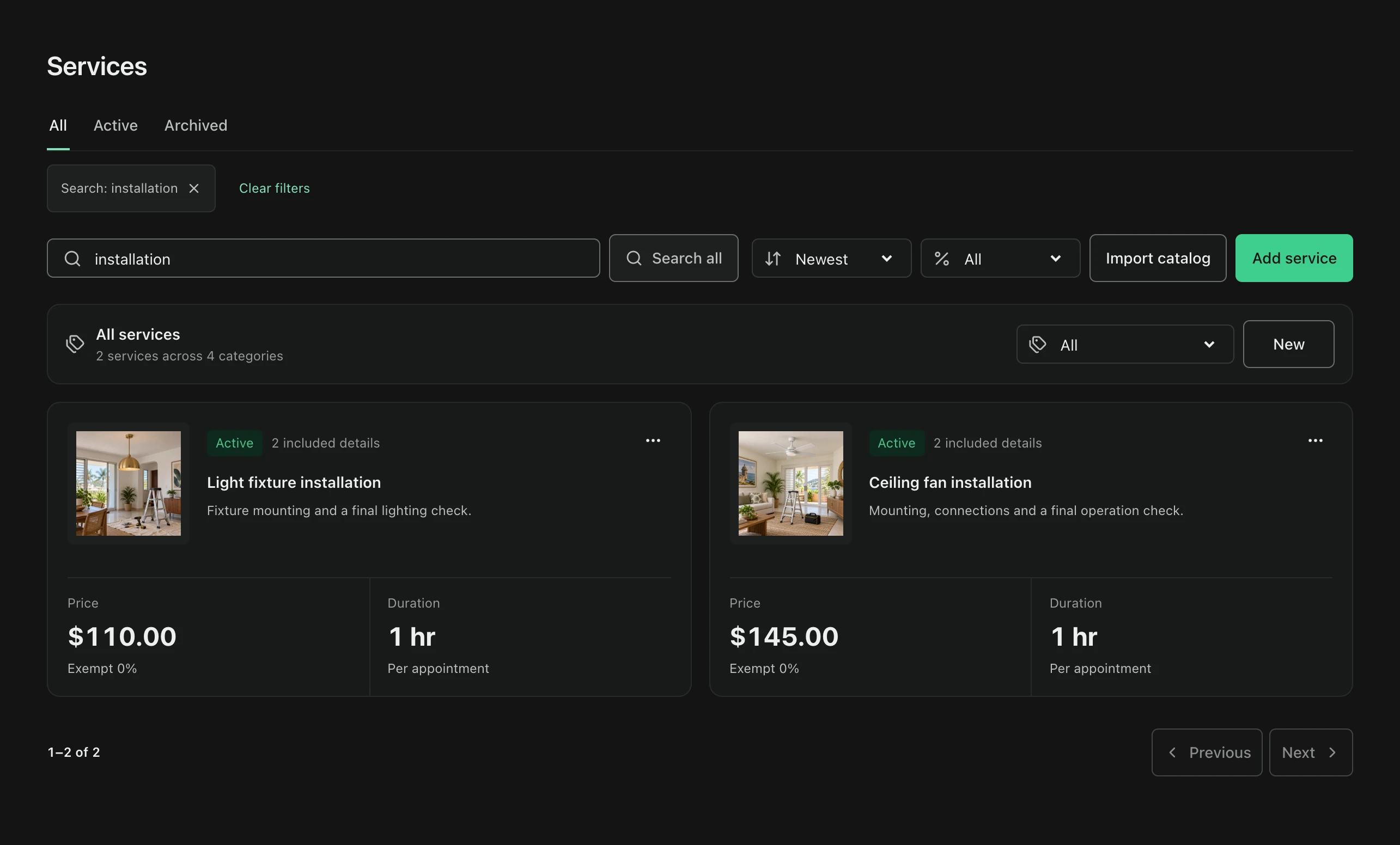
At a glance
What you can do
Service categories
Tax treatment selected for the operating market
Optional inventory items used by a service
Set up the service
Save repeat work
Give a service a clear name, description, price, and duration. Categories make the catalog easier to browse when the menu grows.
- Description
- Price
- Duration
- Category
Use it again
Ready for the next client
Select the applicable tax treatment and, when the job consumes materials, add the inventory items and quantities used. Choose the saved service again when creating an invoice or an appointment on a calendar-enabled plan.
- Tax setting
- Material usage
- Invoice line
- Appointment service
Common questions
Can I use saved services on an invoice?
Yes. The invoice workspace can use saved catalog services as line items.
Does every plan include appointments?
No. The service catalog is available to Individual, Pro, and PyME; Calendar and appointment scheduling are included with Pro and PyME.
Service catalog