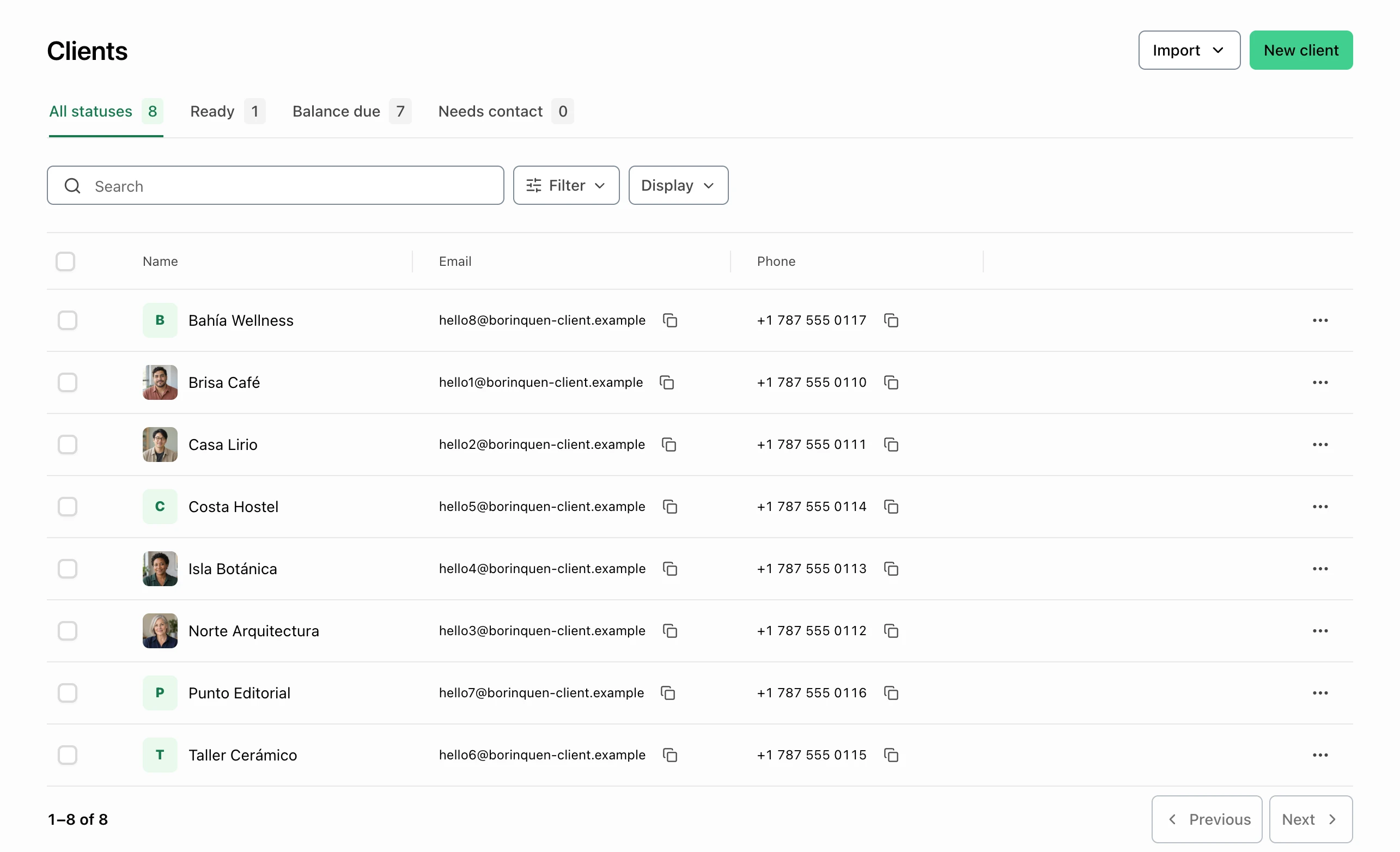
The customer list
Find returning customers quickly.
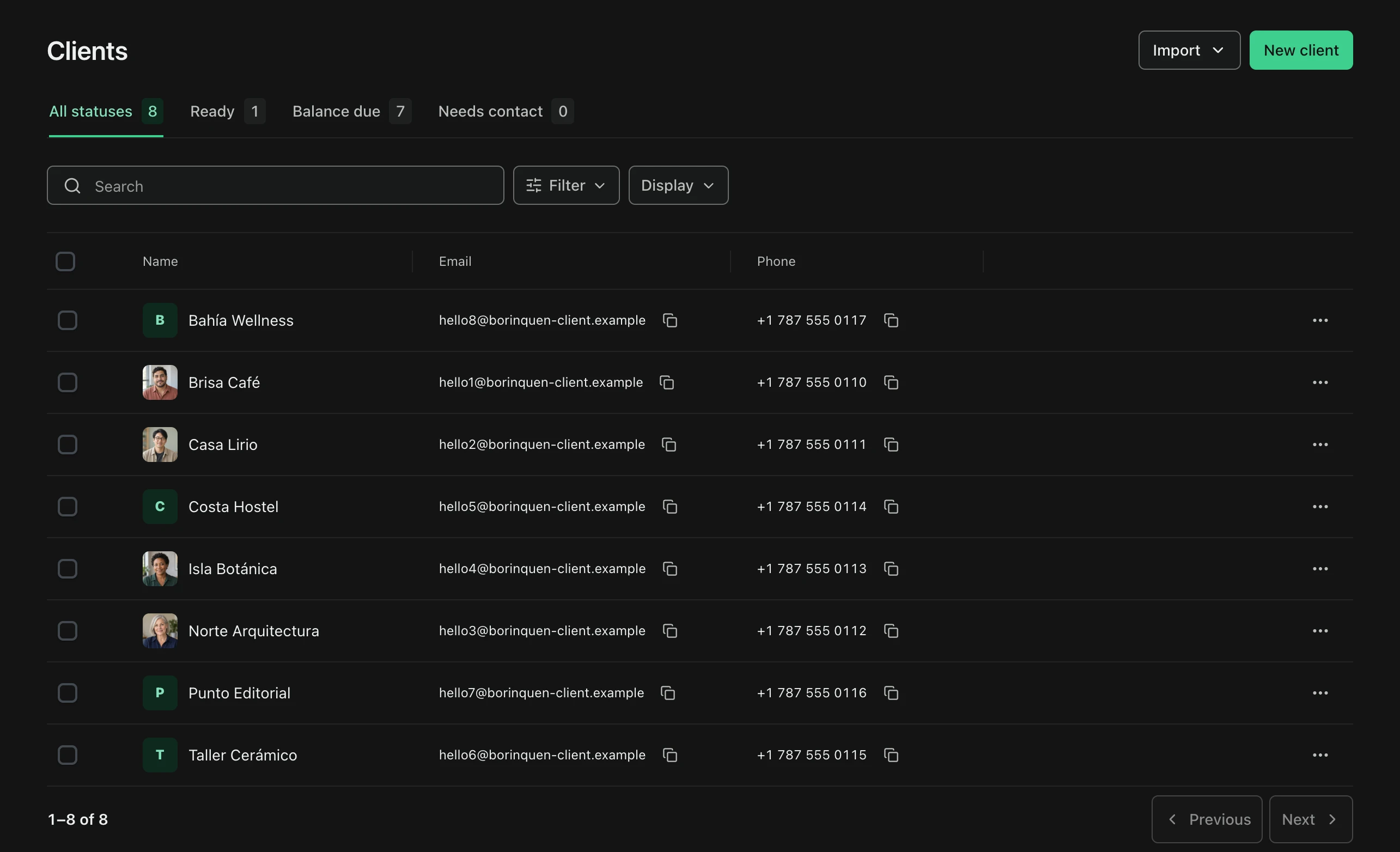
Search the client list for a name, email, or phone. Review account statuses before following up on a previous wash invoice.
- Searchable contact details
- Account status
Built for service days
Save common wash services and prices, then review the recorded sales and payments for your business.

The customer list
Search the client list for a name, email, or phone. Review account statuses before following up on a previous wash invoice.
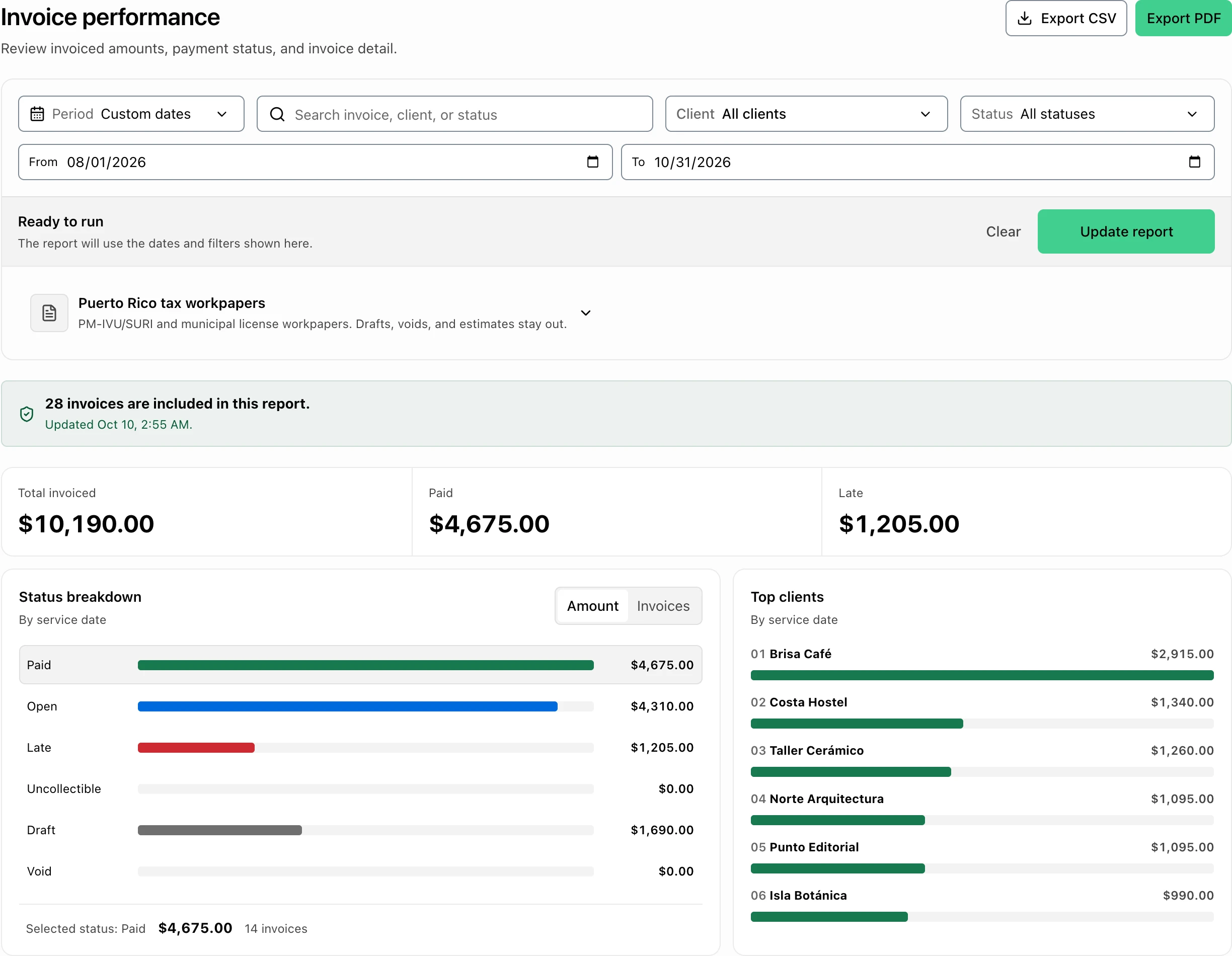
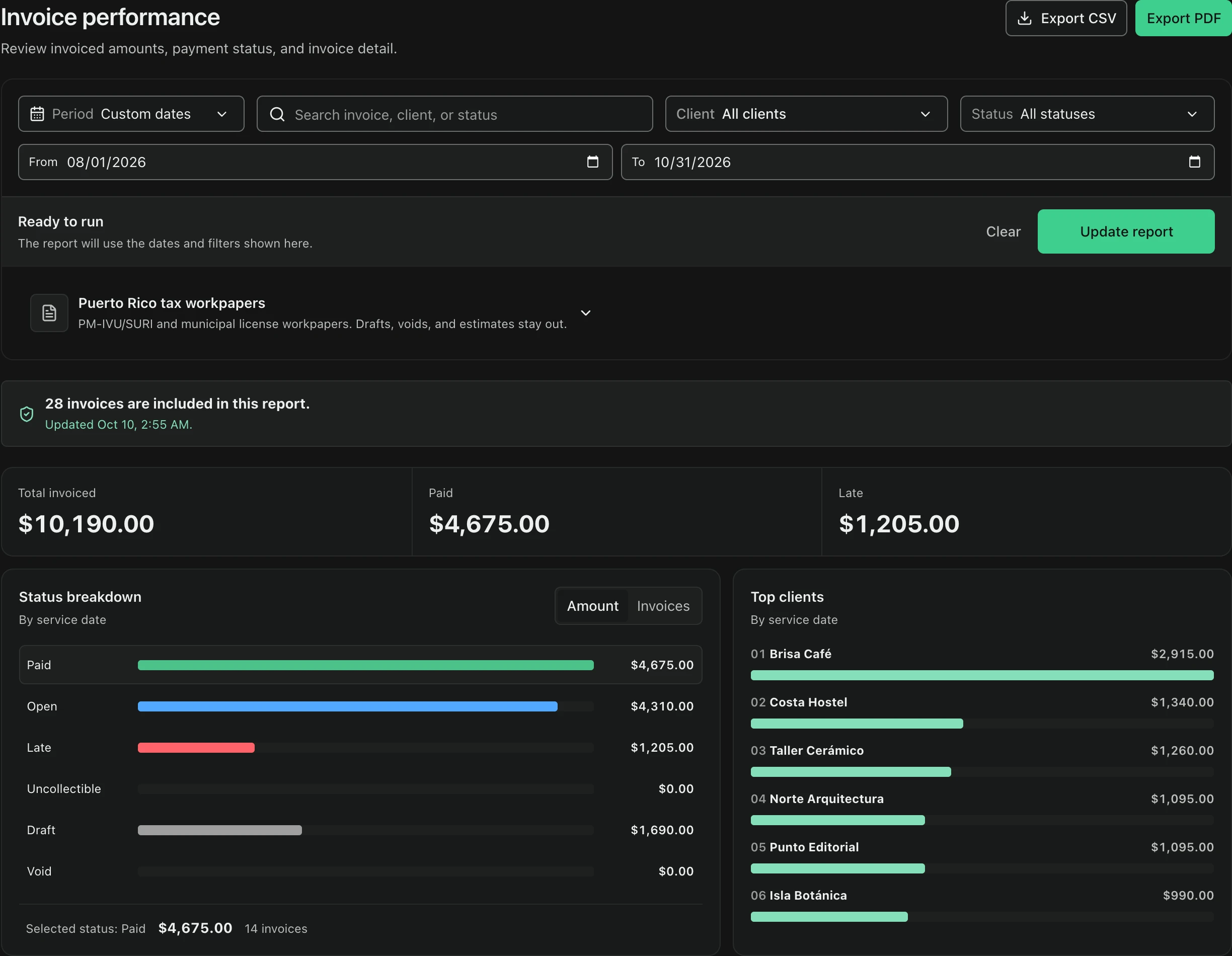
The business review
Use report filters to review recorded sales and payment information. Available reports depend on your plan and market.
Keep it clear
Individual
Pro
PyME
For this kind of work
Plans, payments, and country-specific details.
FacturaOS has country-specific workflows, but the countries you can select are controlled during account setup and can change. Check the current options before relying on a local workflow. Each business account uses one operating country at a time.
No. Start with clients, estimates, invoices, and payment follow-up. Add routes, suppliers, templates, reports, or team roles only when they make the work easier.
Built for service days
Bring the next customer, invoice, and payment record together.