

Bookkeeping · SaaS web
See how income and expenses add up.
Read your cash-basis results, investigate the transactions behind them, and bring a clear set of records to your accountant.
Plans: Pro and PyME
At a glance
What you can do
Monthly chart and transaction register
Expense groups and custom categories
P&L PDF/CSV and source record CSV exports
From the first step to the next
A clearer way to work.
Overview
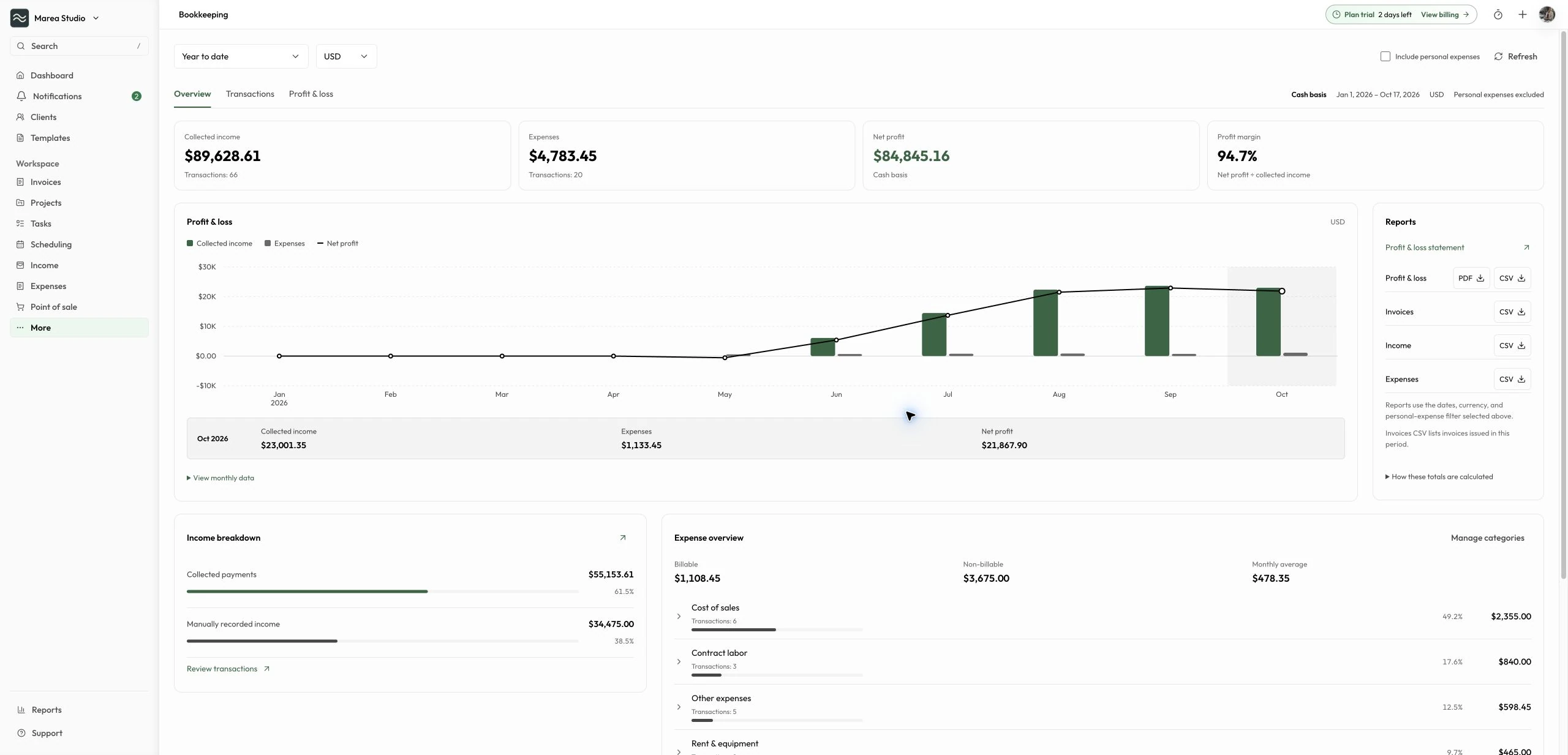
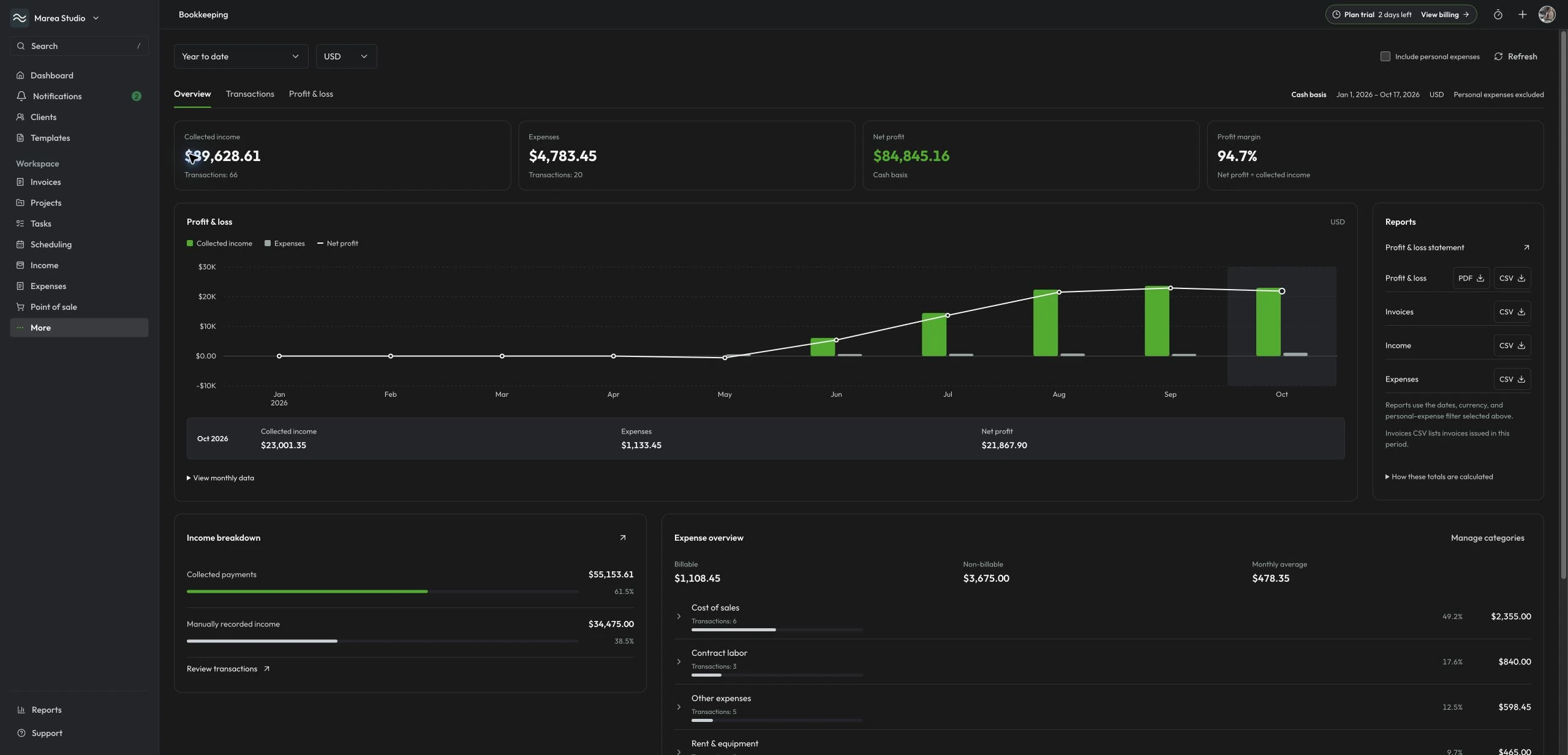
See the result and what changed
Review collected income, expenses, net profit, and margin for your selected period and currency. Compare monthly income and expenses against the profit line, select a month for exact amounts, or open the monthly table. Review each currency separately; Bookkeeping does not convert amounts between currencies.
- Cash-basis results and profit margin
- Interactive monthly chart and table
- Date and currency filters
- Separate collected payments and manual income
Transactions
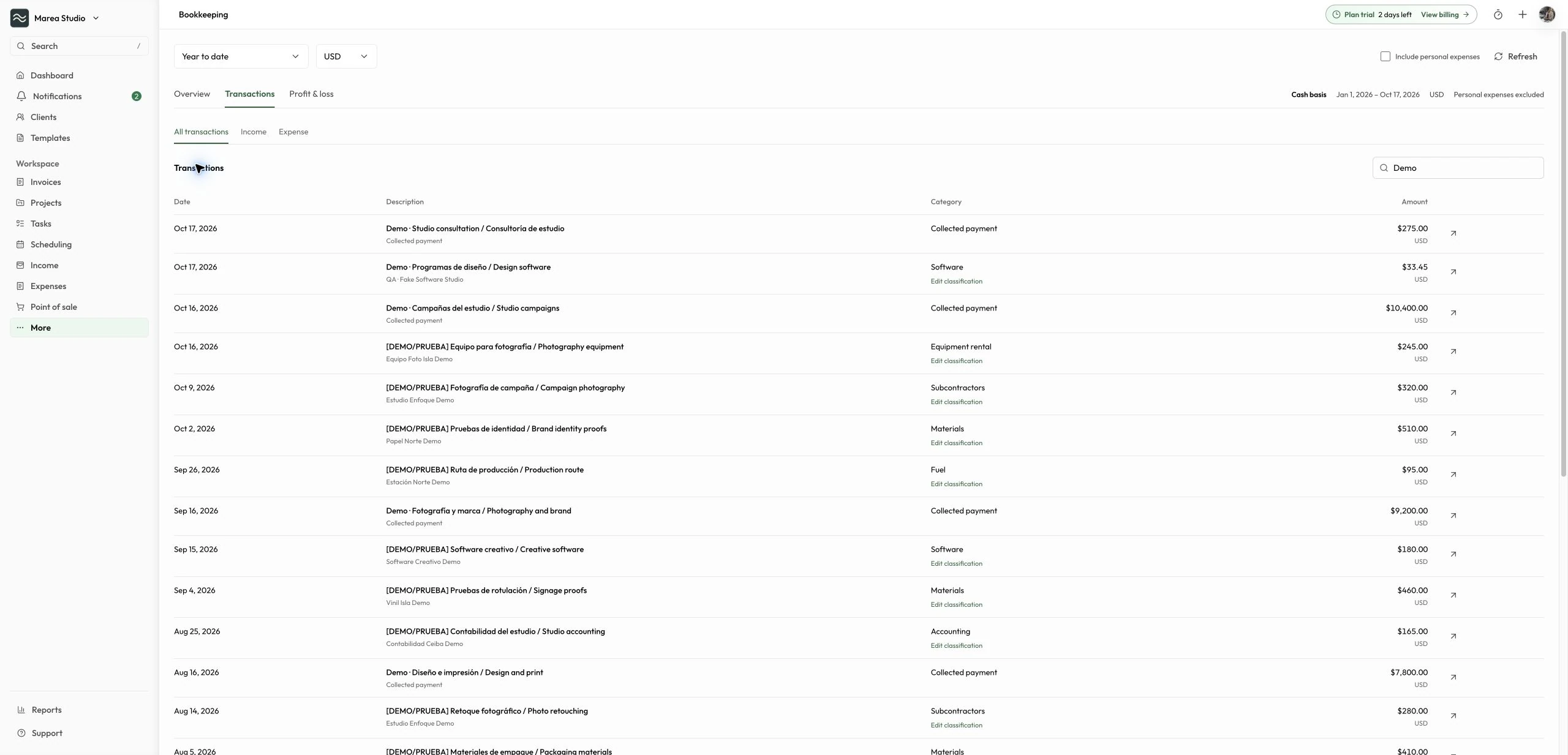
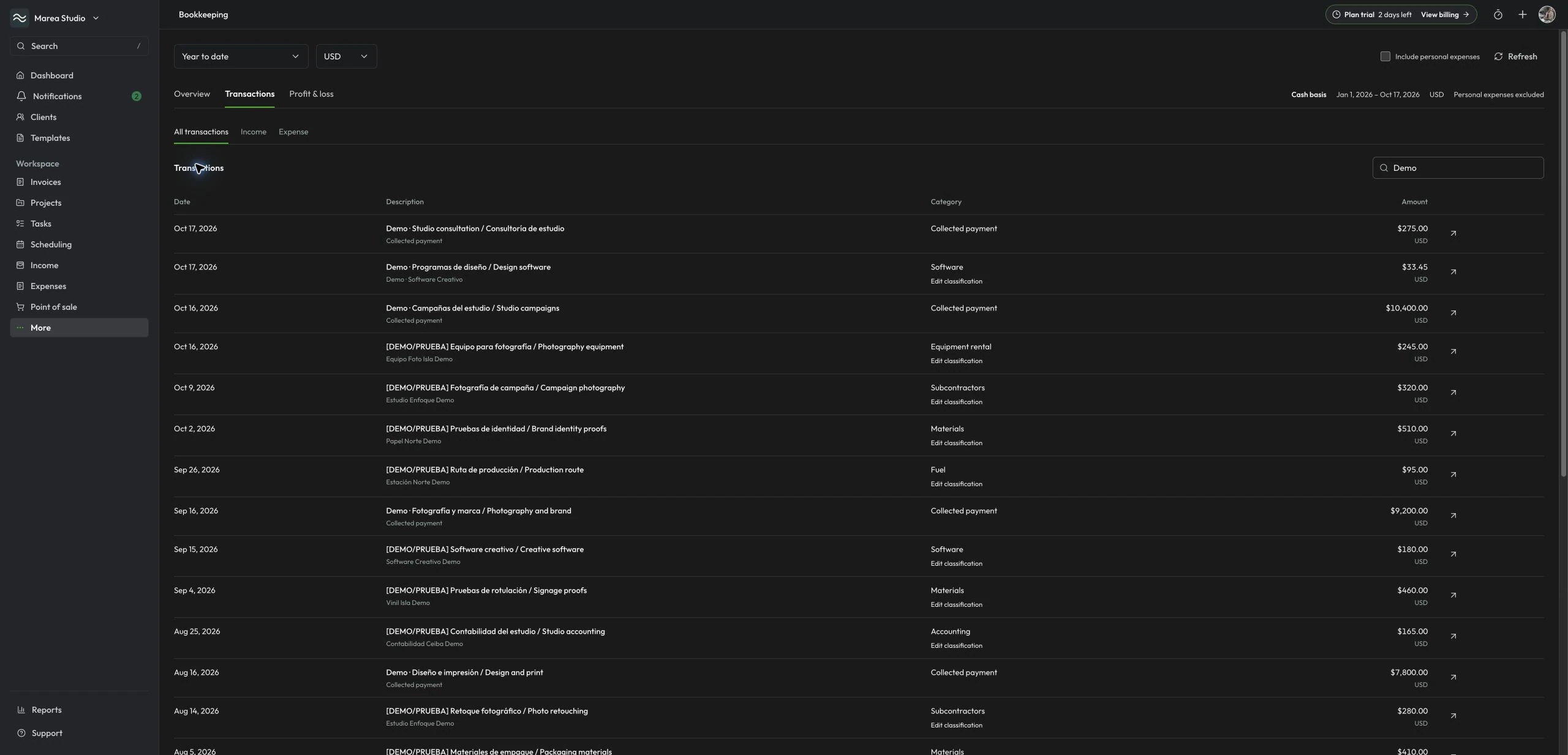
Follow the numbers back to the work
Open the transaction register to search income and expenses and follow links to the source records. Review expense groups by amount, share, and transaction count, then open a category to investigate its costs. Choose whether personal expenses belong in the current review.
- Searchable income and expense register
- Source invoice, income, and expense links
- Ranked expense groups and categories
- Personal-expense filter
Categories
Keep expense groups useful
Use the default expense groups and custom categories to organize your review. Owners, admins, and accountants can manage expense categories in Bookkeeping. Category access does not grant additional permission to edit the underlying income, invoices, or expense records.
- Default expense groups
- Custom expense categories
- Category editing for accountants
- Source record permissions preserved
Export
Bring the supporting records
Download the profit and loss summary as PDF or CSV and export invoices, income, and expenses as CSV files. Calculations reflect the saved records available for your selected period and currency. Legacy refunds that cannot be resolved are flagged for review instead of assigned assumed costs.
- Profit and loss PDF and CSV
- Invoices CSV
- Income CSV
- Expenses CSV
Common questions
The details to help you get started.
Which plans include Bookkeeping?
Bookkeeping and its financial exports are included with Pro and PyME in the web workspace. Individual subscriptions and trials do not include them. Access requires an active subscription or an eligible Pro or PyME trial. Team members need a plan that supports their workspace role.
Who can open Bookkeeping?
Owners, admins, and accountants can review Bookkeeping and manage expense categories. Your plan and existing workspace roles still govern team access and the underlying records. Managers, Staff, and customer surfaces do not gain financial access through this feature.
Does Bookkeeping connect bank accounts or keep my books automatically?
No. It calculates a financial view from saved business records. It does not connect bank accounts, import bank transactions automatically, reconcile accounts, provide automated bookkeeping, process payroll, or verify an external payment.
Does this file taxes or provide tax advice?
No. Bookkeeping provides an operational cash-basis summary and exports for review. It is not a tax product or a tax filing service. You remain responsible for record accuracy, professional accounting or tax review, and any required filings.
Bookkeeping · SaaS web
Ready for the next job?
Keep the next step connected to the work that matters.
Start with Mantuno